Know what your team is working on. Without chasing.
HYCROS brings projects, tasks, time, leave and sales enquiries into one place. See progress at a glance, spot problems before deadlines slip, and stop asking for status updates.
- 107
- features in one subscription
- 12
- areas to switch on as you grow
- 7 days
- free trial, no card asked for
- 3
- ways to work: web, Windows and Android
The whole picture, on one screen.
Projects, people, time and sales share the same information, so everyone works from the same facts.
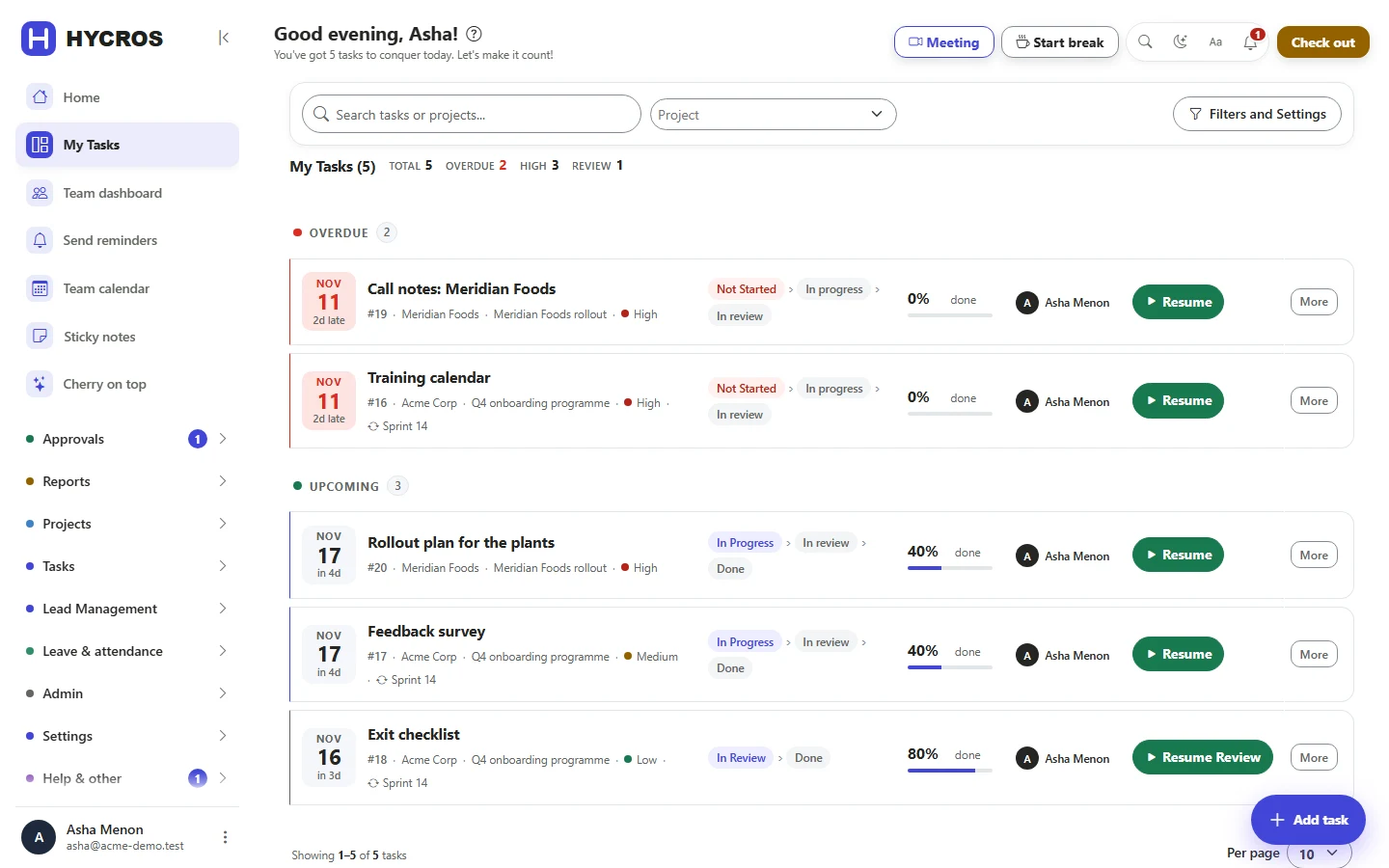
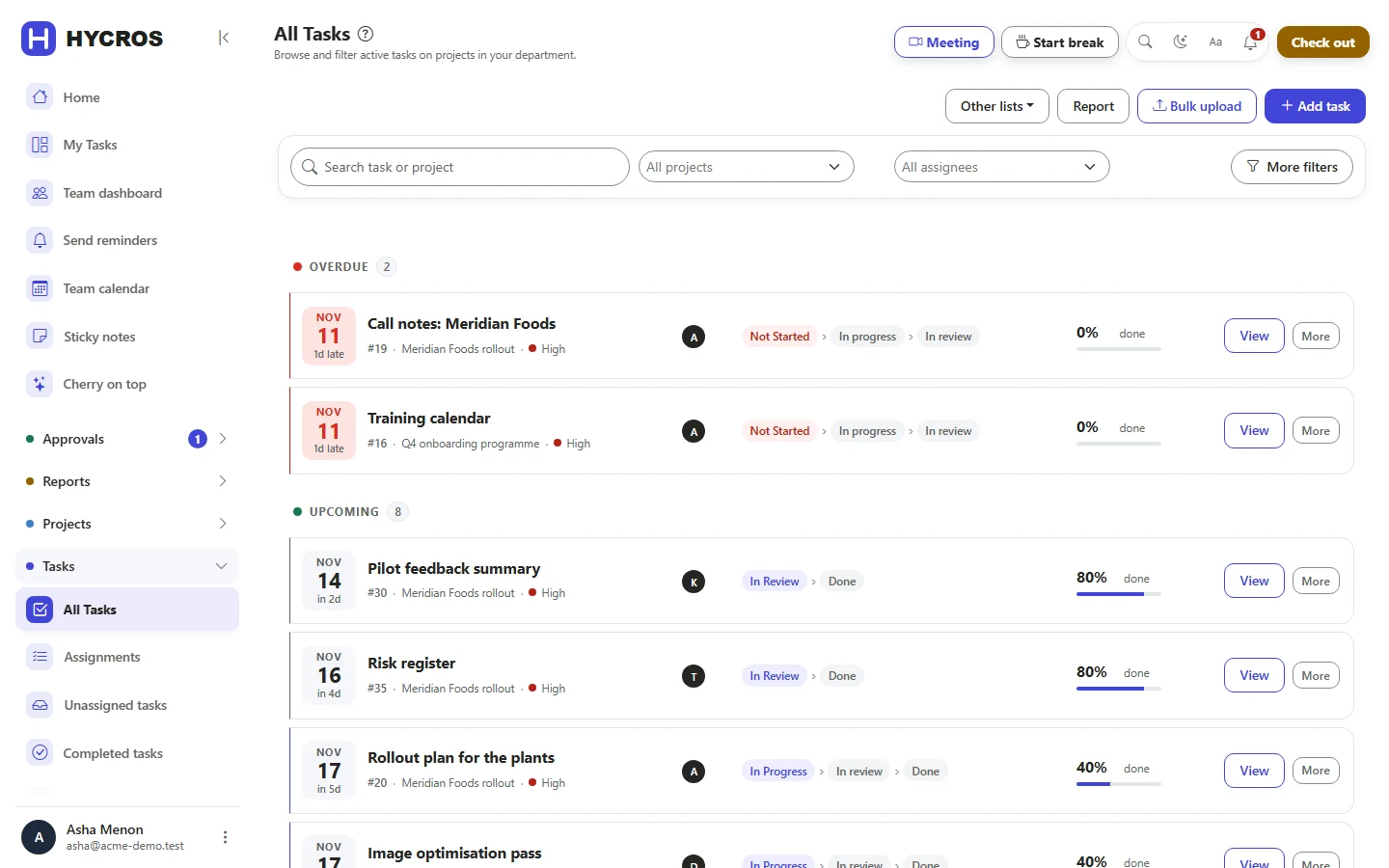
Every task has an owner and a deadline
Hand out work with a clear owner, due date and time estimate. Work moves through the steps you choose, and nothing counts as done until it has been checked.
- Steps that match how each team works
- Reminders and follow-up tasks, so nothing is forgotten
- Deadlines move only with a reason and your approval
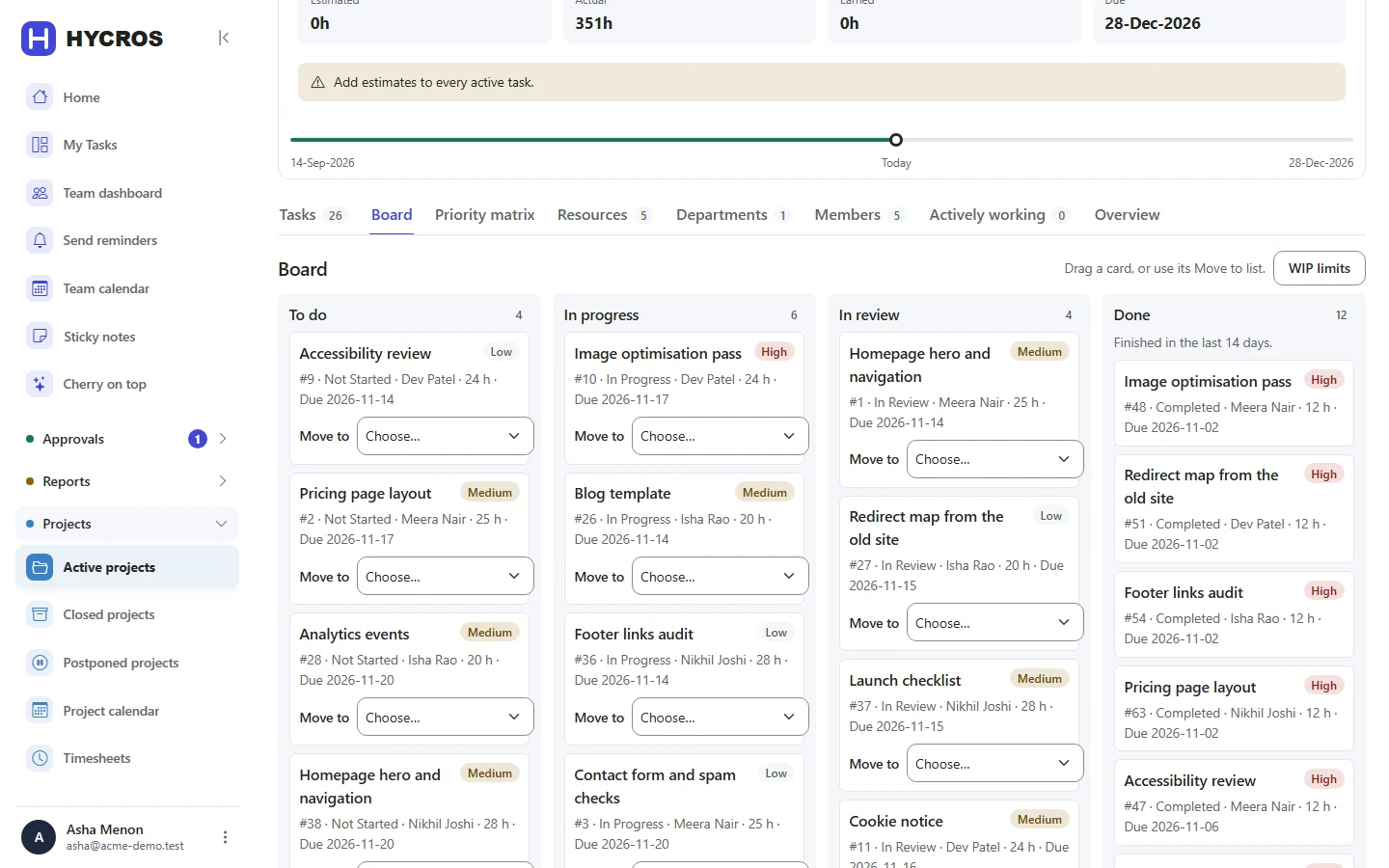
Progress you can see at a glance
Run each project as a simple list, a visual board of cards, or in short planned rounds of work. Whichever you choose, the same checks and approvals apply.
- Move work forward by dragging a card
- See how much gets done each week, and how reliably
- People see only the work they are meant to see
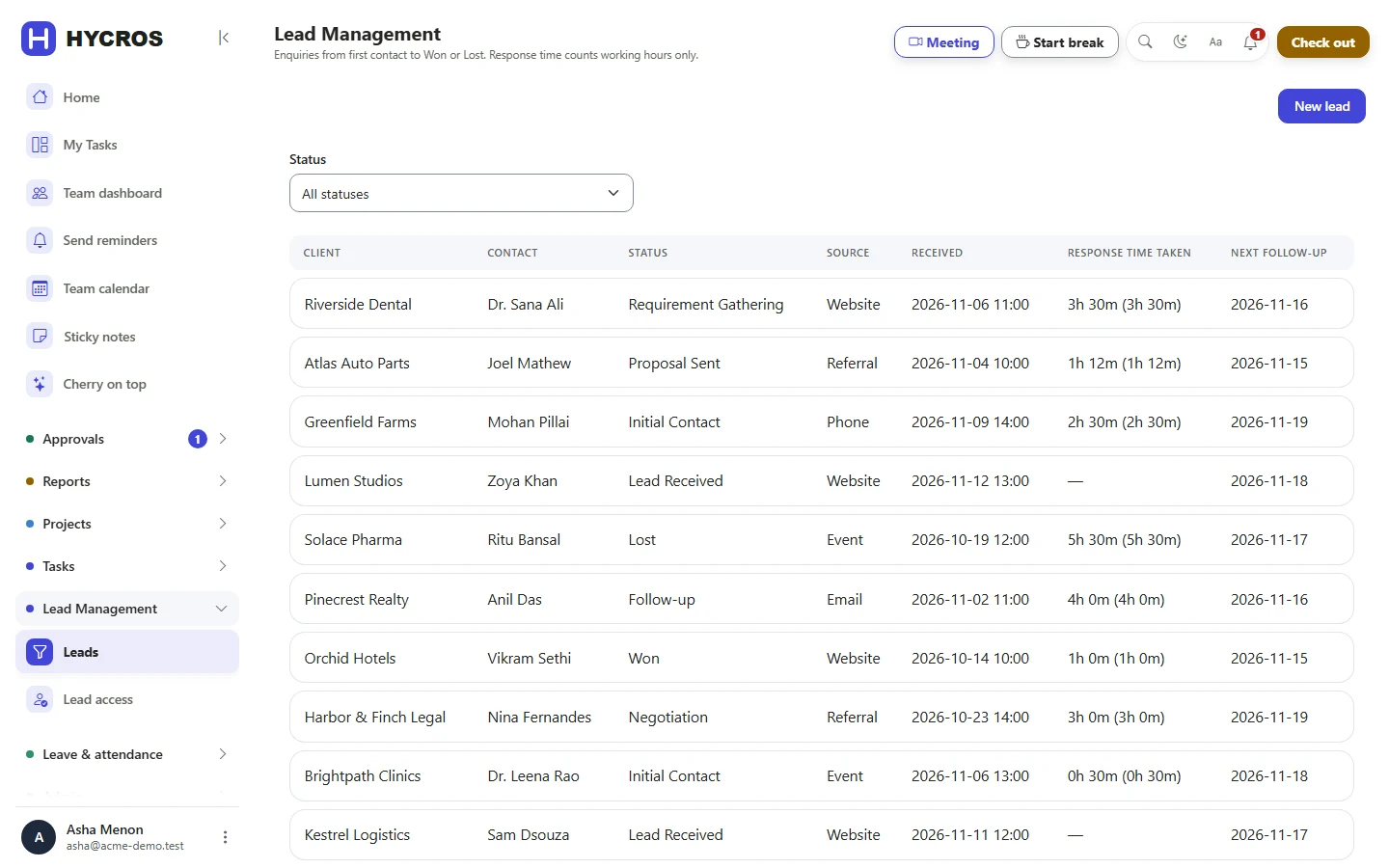
Sales enquiries that never go cold
Follow every enquiry from first contact to a won deal. Response time counts working hours only, so a Friday-evening enquiry is not late on Monday morning.
- A sales pipeline for each team
- A progress page you can share with clients
- Only the people you choose can see sales
Know where the hours go
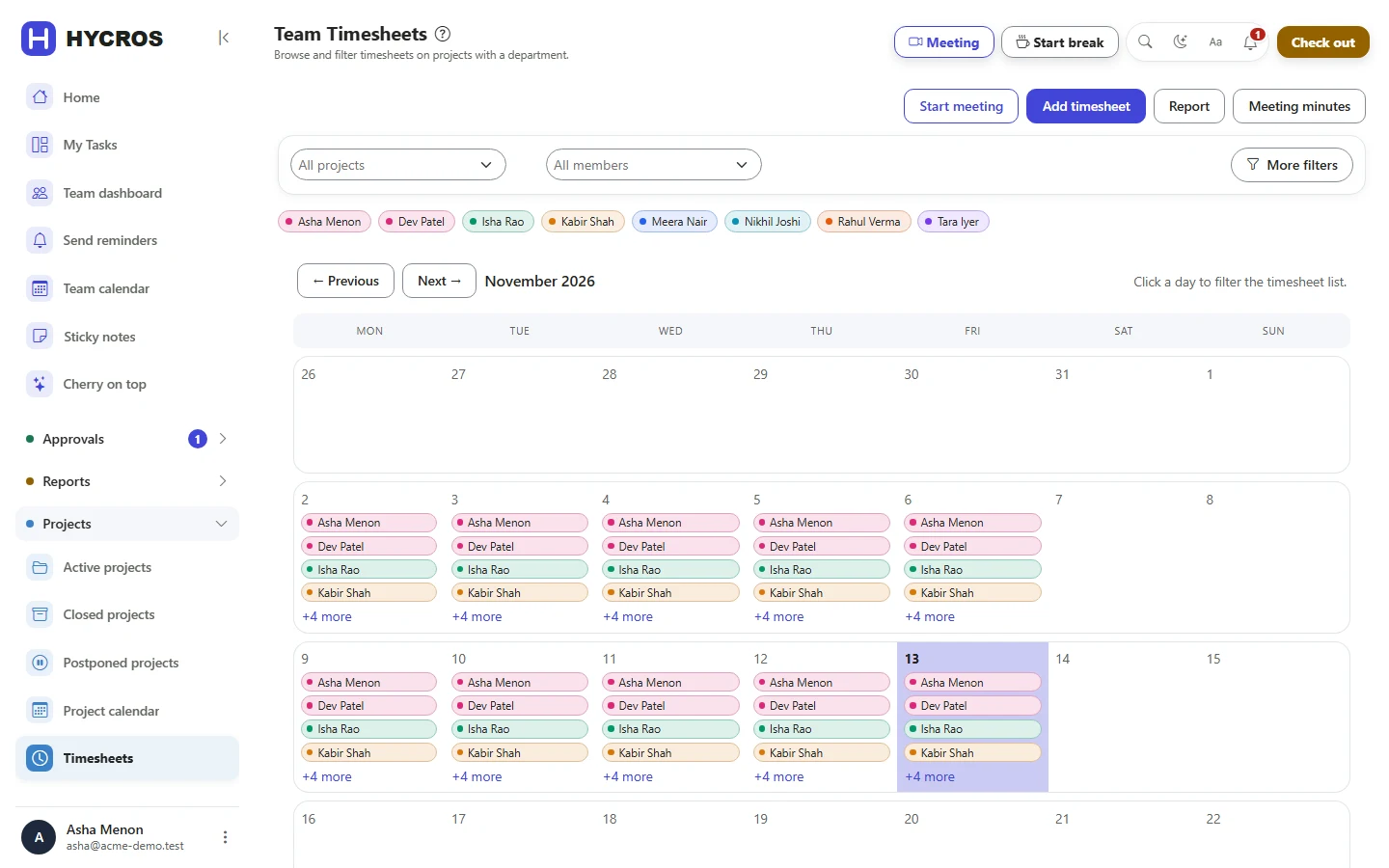
People press start when they begin a task. Hours flow into timesheets and reports on their own, so there is no chasing at the end of the month.
- Timers for tasks and meetings
- Time away from the desk is not counted by mistake
- Timesheets approved in one place
Know who is in, and who can take on more
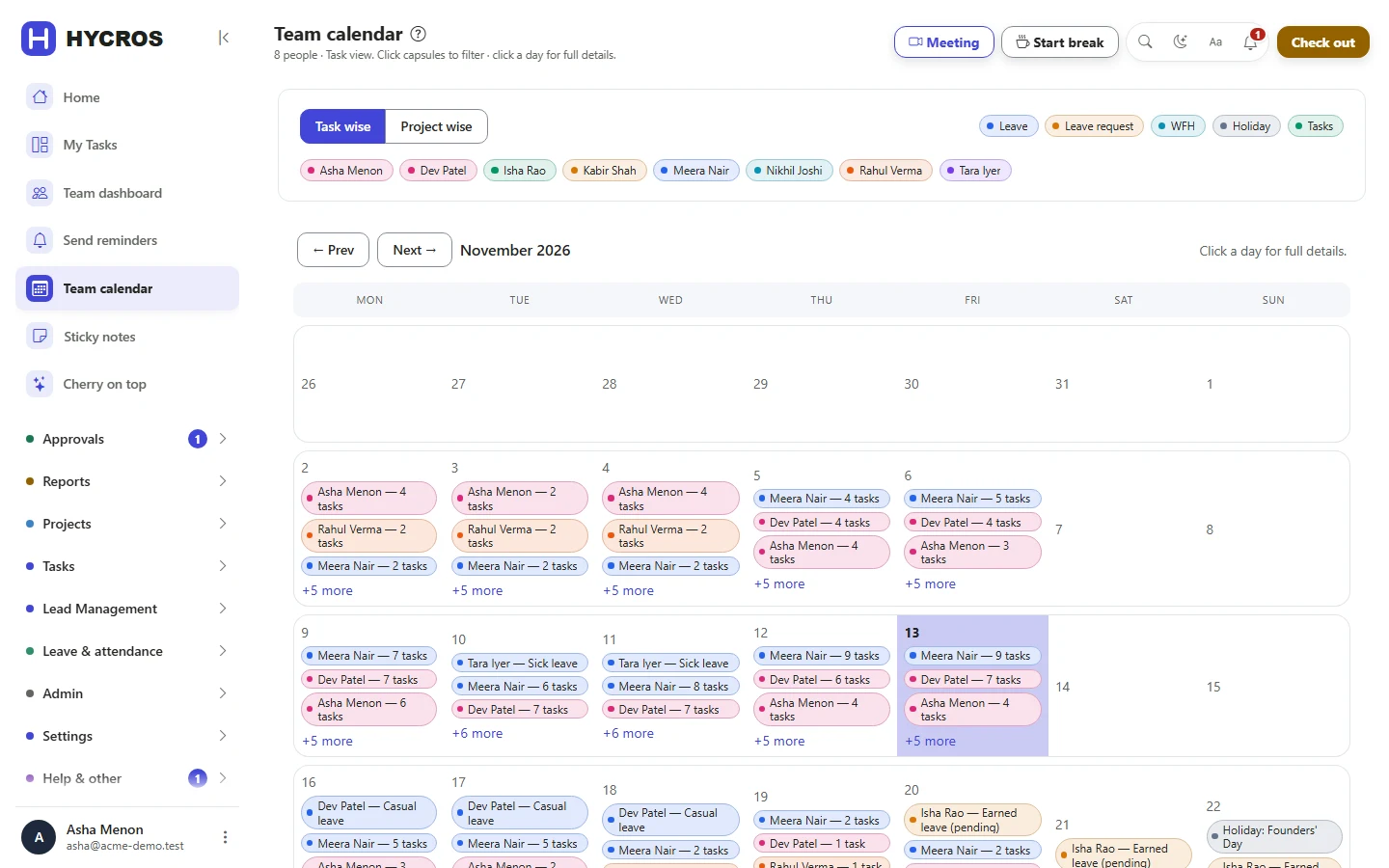
Leave, work from home and attendance sit right next to the work, so you plan with real availability, not guesses.
- Approve leave and work from home in a click
- One calendar for leave, holidays and deadlines
- A short weekly update from every person
One subscription instead of a stack of tools.
Every extra tool is another login, another bill and another place where the numbers do not match. HYCROS puts the whole working day in one place.
Without HYCROS
- A task list or project tracker
- A separate project board
- A timesheet app or shared spreadsheet
- A spreadsheet of sales enquiries
- A leave and attendance register
- Reports rebuilt by hand every month
- Separate logins, bills and numbers for each
With HYCROS
- Projects, tasks, time, sales and leave in one place
- One login, using the Microsoft or Google account people already have
- One bill, priced per person
- One set of numbers, so every report is already up to date
- The same rules everywhere, so nothing slips through
What does chasing status cost your team?
Example figures. Change them to match your team; nothing you type leaves this page.
See where the hours go, and who is stretched.
The numbers are ready the moment you ask, not after a week of collecting spreadsheets.
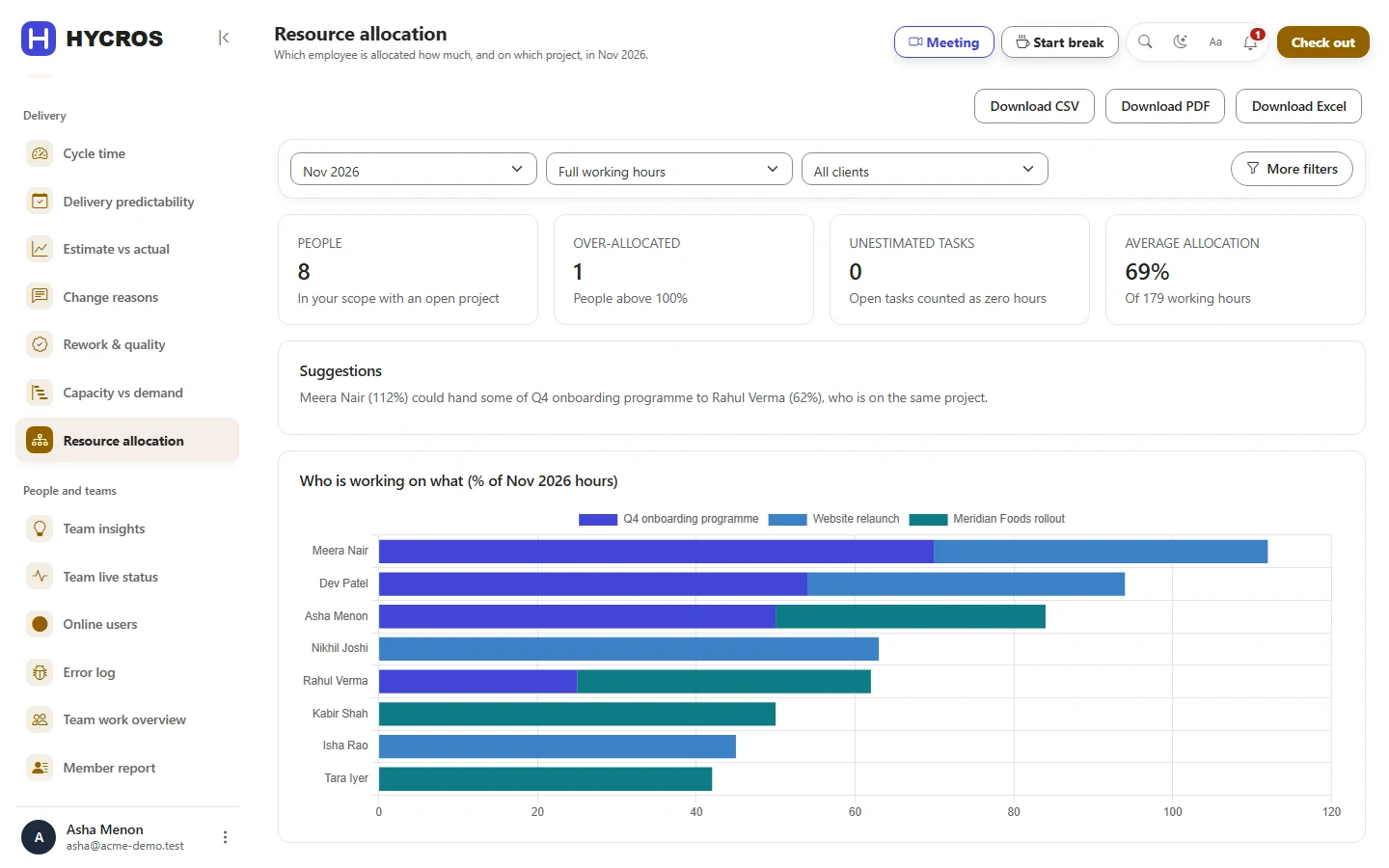
Who is overloaded
See how much of each person's month is already booked. Anyone above 100% shows up before deadlines slip, not after.
Plans against reality
See which work takes longer than planned, and the reason every deadline moved.
Delivery you can count on
How much the team finishes each week, how long work takes, and how often it lands on time.
Your own reports
Pick what you want to see and save it, or have it emailed to you on a schedule.
Who is on what, right now
Who is working, who is in a meeting, and a daily summary written from the day's timers.
Budgets and profit
Budgets, billing and profit for each project, on the plans that include them.
Everyone gets a reason to open it.
A tool pays for itself only when every person uses it. HYCROS gives each role the screen it needs, and nothing it does not.
Know where the money and hours go
- Who is overloaded, and who has room
- Budgets, billing and profit
- Revenue against targets, each quarter
- Projects at risk, flagged early
Keep work moving without chasing
- Every approval in one list
- Boards that show progress at a glance
- Who is working on what, right now
- Remind several people in one go
Know what to do next
- My Tasks, sorted by what is due
- One-click timers, no timesheet typing
- Leave and work-from-home requests in a few clicks
- Windows and Android apps
Easy enough that people actually use it.
A tool only helps when the whole team opens it every day. HYCROS is built to be learned in an afternoon.
Ready in minutes
Pick a starter pack (general office, software team or e-learning) and your departments and job titles are already there.
One-click timers
Start work and the clock runs. If you step away, HYCROS asks what to do with the time.
Rules you set once
Work steps, checklists and approvals are set once for your organisation, then followed everywhere.
Plain words, calm screens
Clear labels and simple screens. The next thing to do is always the most obvious thing on the page.
Where you work
In the browser, as a Windows desktop app and as an Android app, with light and dark themes.
Help built in
A built-in guide to every feature, kept up to date with each release, so nobody has to ask how something works.
Seven days. Here is how to use them.
Your workspace is ready within minutes of confirming your email. No card is asked for during the trial.
Buying HYCROS is risk-free.
You see it working with your own team before you pay, and you are never locked in after.
Try before you pay
7 days with every Pro feature, for your whole team. No card asked for.
Cancel anytime
No lock-in. Stop when you like, and download all of your data as spreadsheet files first.
Free onboarding call
We help you set up your departments, your way of working and your team, so you start right.
How buying works
- Start the free trialSet up your workspace and invite the team.
- Choose a plan in the appPick Starter or Pro, paid monthly or yearly.
- Pay securely by cardYour invoices are kept in your account.
You decide who gets in, and what they see.
Choose how people log in, give each person only what their job needs, and keep a record of every change. Security is part of the everyday product, not an add-on.
- Login
- The Microsoft or Google account people already use, or your company's own login On
- Joiners, leavers
- Accounts created and switched off automatically from your company directory On
- Access
- Each person sees only what their role and team allow Built in
- Idle screens
- Unattended screens sign out after the time you set On
- History
- A full record of every change on every project and task Built in
- Your data
- Download all of it as spreadsheet files, whenever you want Built in
Start free. Choose a plan when you are ready.
Plans are priced per person. The trial includes every Pro feature for 7 days. Save with yearly billing.
Starter
For teams that want work and time in one place.
- Tasks and projects
- Timesheets and timers
- Project boards and sprints
Pro
For organisations that run sales, people and delivery together.
- Everything in Starter
- Sales, clients and billing
- Leave and attendance
- Process checks and sign-off
Enterprise
For larger organisations with their own systems.
- Everything in Pro
- Microsoft Teams connection
- Attendance machine connection
- 7-day free trial
- No card to start
- Cancel anytime
- Free onboarding call
Questions
Do I need a card to start?
No. Sign up with your work email, confirm it and your workspace is ready.
How do I pay when the trial ends?
Choose Starter or Pro inside HYCROS and pay securely by card. Your invoices are kept in your account. Everything your team set up during the trial stays as it is.
What happens if I do not choose a plan?
After 7 days the workspace is suspended and nobody can sign in until you choose a plan or contact us. Your data is kept.
Can I cancel?
Yes. You can cancel at any time, with no lock-in: your plan runs to the end of the period you paid for and does not renew. Before you leave, you can download all of your data as spreadsheet files.
Is yearly billing cheaper?
Yes. Save with yearly billing compared with paying month by month.
Will someone help us set it up?
Yes. Every new customer gets a free onboarding call to set up departments, your way of working and your team. Book it here.
Who can see our data?
Only the people you invite, and each person sees only what their role allows. Sales, clients and billing are visible only to the people you give access to.
How do people log in?
With a password, with the Microsoft or Google account they already use, or with your company's own login system. If your IT team manages accounts centrally, people can also be added and removed automatically.
Do my team need to be technical?
No. HYCROS is built for everyone in the organisation, not just IT. Most people learn it in an afternoon, and the free onboarding call gets you set up.
Why not just use one tool per job?
You can. But then tasks, hours, sales and leave live in different places, you pay for each, and nobody can see the whole picture. HYCROS keeps it all in one place and switches on only the parts you use.
Your team could be working in HYCROS this afternoon.
7 days free. No card. Cancel anytime.